Import your lists
M3U/M3U8 addresses, .m3u files from your iPhone or single video links. If you already copied the link, Plei offers to paste it.
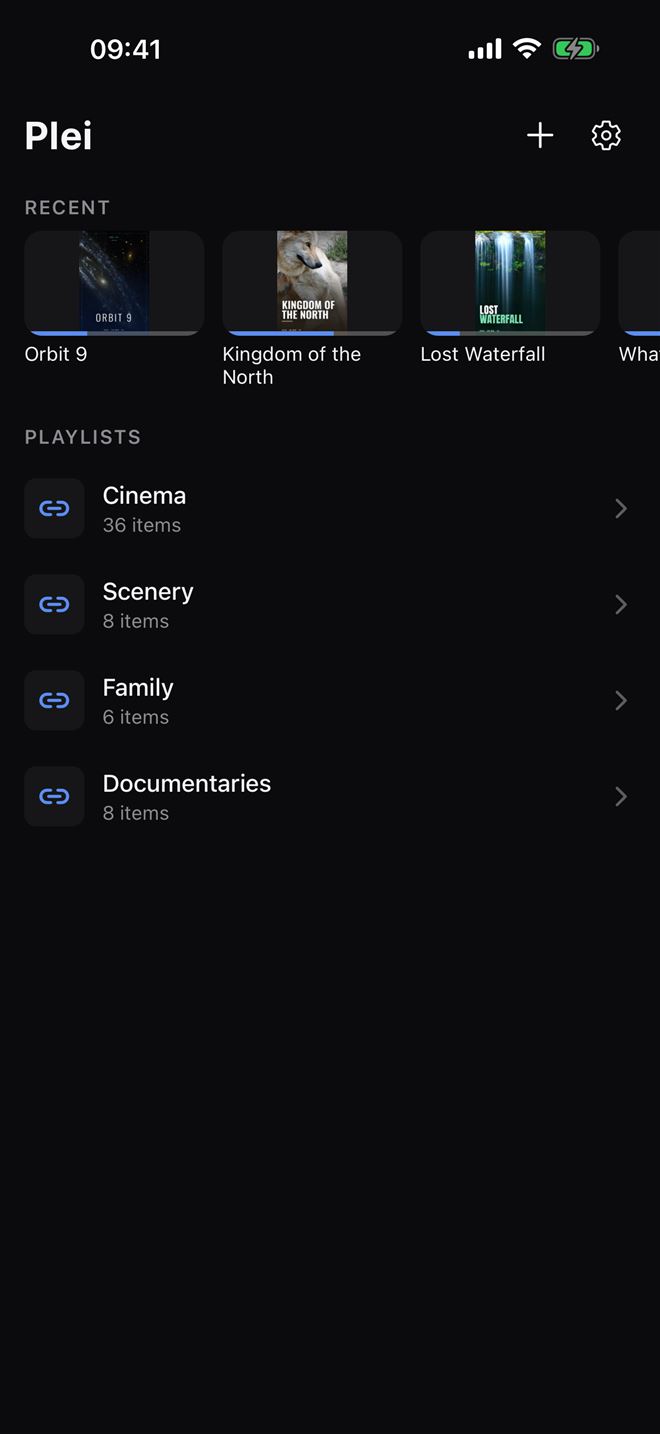
Plei is a clean, fast player for the playlists you already have. Add them, organize them by category and play them in a dark, carefully designed interface. No content is included: you bring your own.

Free to start · 7-day Premium trial · Premium is a one-time purchase
You bring your lists. Plei plays them, simply and beautifully.
Get Plei from the App Store on your iPhone (iOS 15.1 or later).
Paste your list's address, choose a file or add a video link. Step by step in the guide to adding your list.
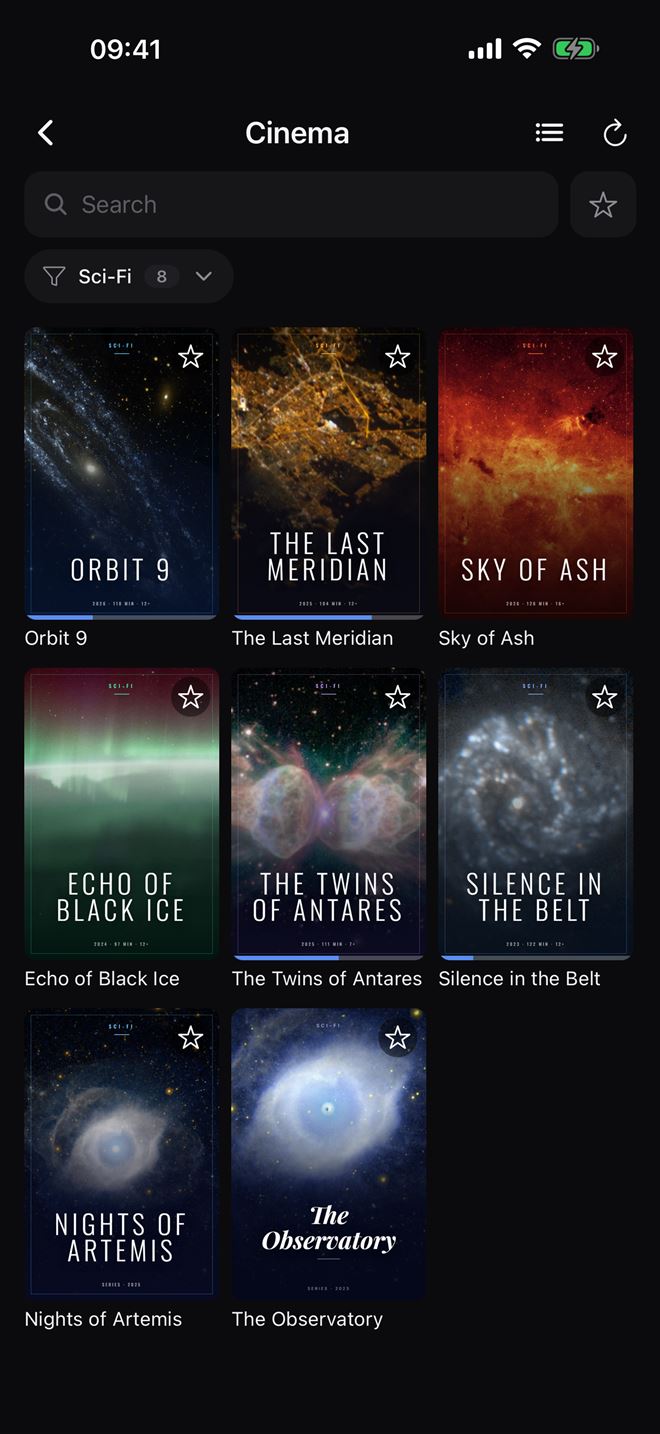
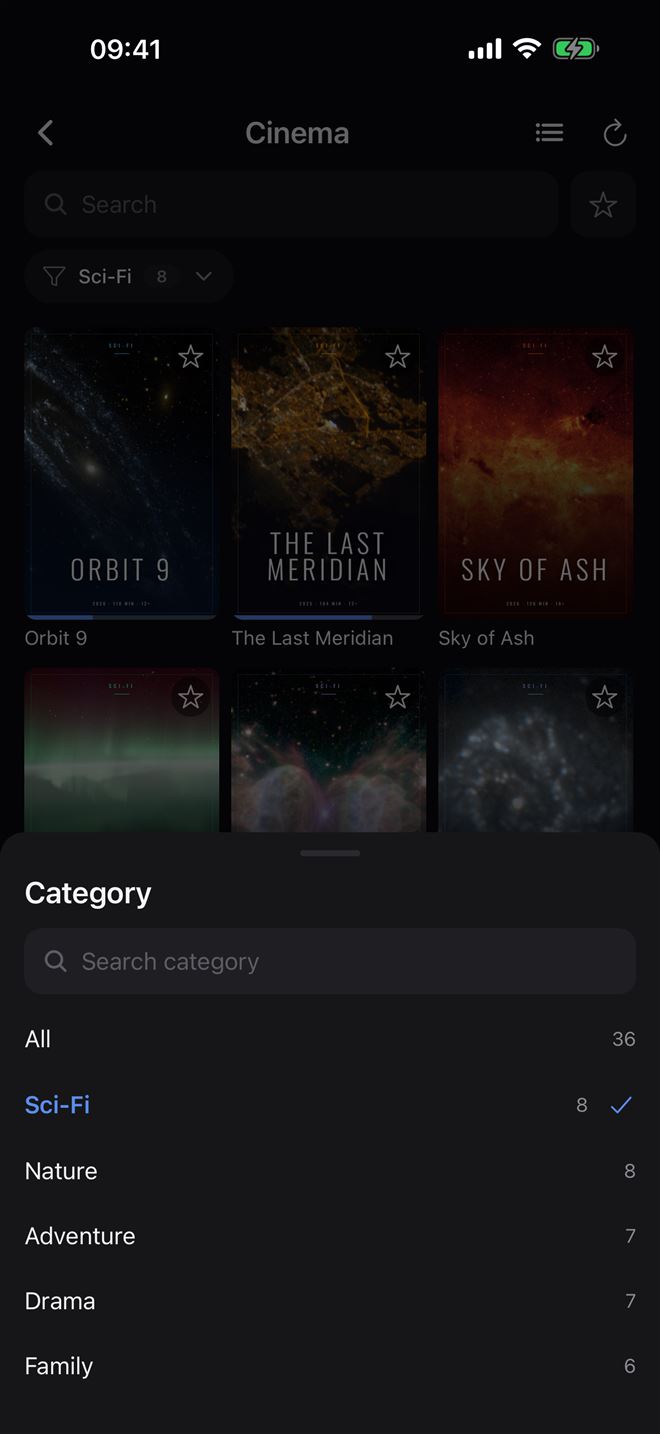
Categories with search, favorites, history, and a list or grid view.
Pick up where you left off, keep watching in Picture in Picture or send it to your TV with AirPlay.
A personal player, clean and free of distractions.
M3U/M3U8 addresses, .m3u files from your iPhone or single video links. If you already copied the link, Plei offers to paste it.
VLC engine: plays HLS, MPEG-TS, MP4, MKV and many more formats in a player with no visual noise.
The categories from your own lists, with a search to find any of them instantly, even in very large lists.
When your list includes cover art, Plei shows it as a grid. Switch to a list whenever you like.
Plei remembers where you stopped and resumes your videos on its own, with a progress bar. More in Picture in Picture and continue watching.
Mark what you use most and jump back to recent items in one tap (5 items free, 50 with Premium).
Keep watching in a floating window while you use other apps (Premium).
Mirror the screen to your Apple TV or compatible smart TV. Read the AirPlay guide.
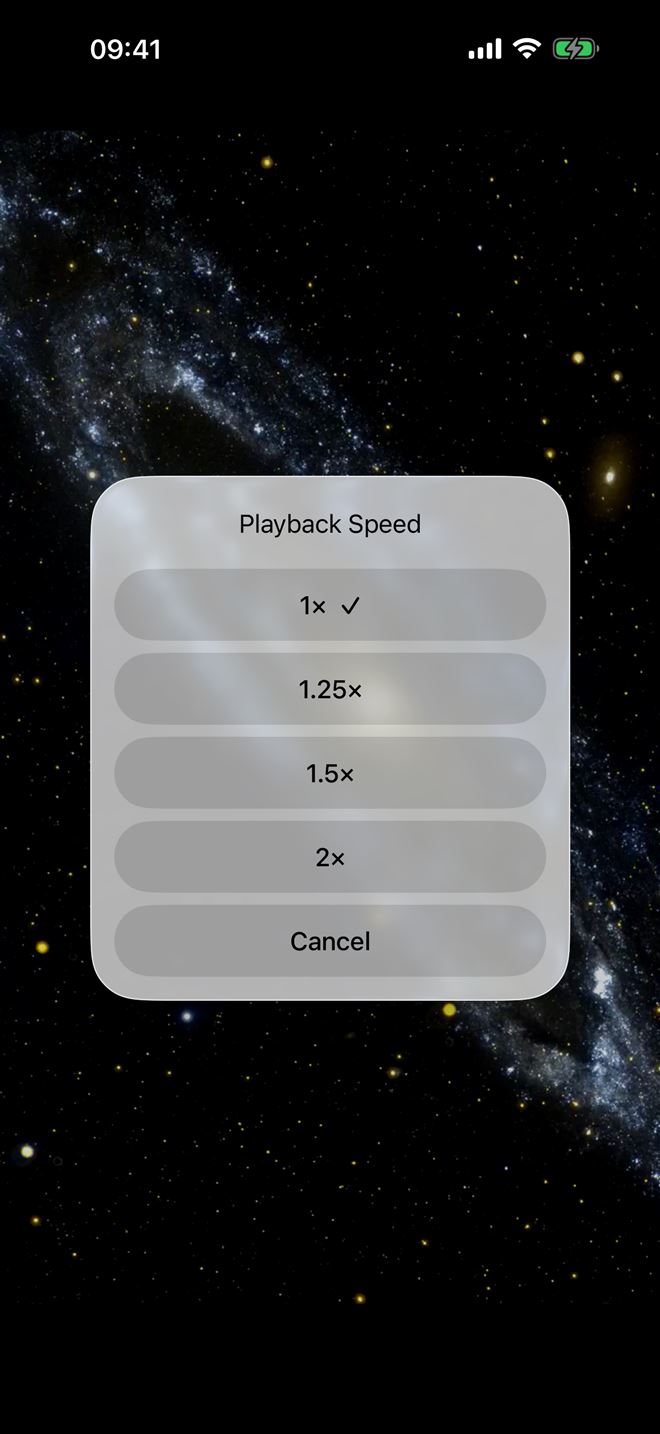
Play at up to 2× and schedule a sleep timer to doze off to something (Premium).
Dark, elegant and focused on your videos.

Plei includes no channels and no lists. You bring your own.
No channels, no films, no preloaded lists. The app starts empty, ready for yours.
Neither in the free version nor in Premium.
You decide what you add and you are responsible for having the right to play its content.
Start free. Premium is a one-time purchase, yours for good.
€0
€4.99 for good
Price in euros; the App Store shows the final amount in your country. If you switch iPhone, restore Premium in Settings → Restore purchases.
Content notice: Plei is a player. It does not include, provide or discover any content, or provider addresses. You import your own lists or links and you are responsible for the content you access and for having the right to do so. The Premium purchase unlocks app features, not content. AIDO Apps does not host or distribute audiovisual content and is not affiliated with any provider. More in the content notice.
Learn to add your list, understand the acronyms and get the most out of Plei.
Step by step to add your list and play it in minutes.
Read the guide →The most common acronyms, explained without jargon.
Read the guide →Legitimate sources and your responsibility as a user.
Read the guide →Mirror your iPhone to an Apple TV or smart TV in three taps.
Read the guide →What to check when something will not import or start.
Read the guide →No. Plei is a player: it does not include, host, sell or recommend any channel, film or list. The app starts empty and you add your own sources.
A list in M3U/M3U8 format (a web address or an .m3u file) or a video link. The steps are in the guide to adding your list.
M3U is a text format that lists video addresses; IPTV is the technology that delivers video over the internet. We explain it in what M3U, IPTV and Xtream are.
We do not provide or recommend providers or lists. You are responsible for the lists you add and for having the right to play their content. Read what you can play with Plei and the content notice.
Plei works with M3U/M3U8 lists and video links. It has no Xtream API integration and no EPG. If your provider only gives you a username and password, see the matching question in Support.
Plei is designed for iPhone and needs iOS 15.1 or later. On iPad it can run in iPhone compatibility mode.
With iOS screen mirroring (AirPlay) to an Apple TV or a compatible smart TV. Steps in the AirPlay guide. Chromecast is not available for now.
Thanks to the VLC engine, almost any: HLS, MPEG-TS, MP4, MKV, AVI and many more. If a link will not play, the source is usually down or its address has changed: what to check.
It is not a subscription: it is a one-time €4.99 purchase that unlocks unlimited lists, a 50-item history, Picture in Picture, up to 2× speed and a sleep timer. It includes a 7-day trial.
No ads and no account. Your lists and favorites live only on your device. More in the privacy policy.